Showing posts with label Web Analytics. Show all posts

Tuesday, February 18, 2014

Digital marketing today


"There is one difference between winners and losers when it comes to web analytics. Winners, well before they think data or tool, have a well structured Digital Marketing & Measurement Model. Losers don't." - Avinash Kaushik in his blog post.

If you have read any blog post here you will notice that it’s related to digital analytics or web analytics. And, all of which tie up with digital marketing, which is where the sum of efforts you put into digital analytics (DA) is headed, in making your digital marketing better.

But, what is digital marketing anyway?

Source


Digital marketing is selling things to people via anything that is electronic, has a pretty screen and will let people click on it. Here's a definition from Wikipedia that leaves no doubts:

"Digital marketing is marketing that makes use of electronic devices (computers) such as personal computerssmartphones, cellphones, tablets and game consoles to engage with stakeholders. Digital marketing applies technologies or platforms such as websites, e-mail, apps (classic and mobile) and social networks. Many organisations cross traditional and digital marketing channels."

Today, when you talk about digital marketing you will hear words like Analytics, Customer Relationship Management (CRM), Visitors, Views, Engagement and what not. Digital Marketing is not what it once was in the 1990’s. Looking back, it has come a long way since.

Digital marketing centers around creating an experience for your customer, be it via Online, mobile or within social networks. It involves listening to how your customers interact with your digital content. Then, monitoring, predicting, experimenting and adapting what you deliver to what your customers want.


At this point, it's worth musing what Seth once said about connections in the digital age:

"There is no market for humming, for example, because everyone has unlimited humming at their disposal at all times. So, in the abundant digital world, what's scarce? Where is the economy?
It's in connection.
Who trusts you? Who wants to hear from you? Who will collaborate and support and engage with you? 
These are things that don't scale to infinity. These are precious resources."

By knowing who your customer is, what he does and a whole lot of other details that have sparked off the privacy debate, you can make your marketing more relevant and experience more personalized. (You've surely read this one, I presume.)

Almost everything digital that touches your customer, can be used to make his or her experience wholesome. Like, altering your landing page based on feedback from your digital metrics. And, with the state to which social media has evolved to what it is today, and data driven decisions it is possible to reach out to your customers at a personal level than ever before. It possible to connect with your customer than ever before.

Previously, what was once traditional marketing, today works in tandem alongside digital. Here’s an example of how that could be done:

“Each year companies spend millions of dollars for a 30-second Super Bowl ad to reach a wide and captive audience. By adding a digital call to action--like an invitation to like the brand’s Facebook page to be entered in a giveaway--brands can extend the value of that advertisement and get a broader return on their (very significant) investment. Once that consumer engages online, marketers can provide additional details about the product in the ad, invite them to opt-in for future communication, or offer a digital coupon or promotion in order to encourage the type of active engagement that digital channels have to offer.

Here are few relevant numbers that show the state of things these days:

  • Internet users: More than 36% of the global population today, compared to 21.7% in 2008.
  • Mobile phone users: 60.7% of the population this year, compared to 40.0% in 2008.
  • Smartphone users: Just under one-third of mobile users and about 20% of the global population, compared to 3.7% of mobile users and 1.5% of the population in 2008.
  • Social network users: About a quarter of the global population, compared to 8.3% in 2008.
  • Facebook users: More than 15% of the global population, compared to 3.1% in 2008.
  • Total ad spending: $517.10 billion in 2013, up 2.8% from last year, compared to $484.30 billion in 2008.
  • Digital ad spending: More than 22% of total ad spending in 2013, compared to 12% in 2008.
  • Mobile ad spending: Just 2.6% of total ad spending and 11.9% of digital ad spending, compared to 2.1% in 2008.

And to close, here's an infographic from Mobile marketing watch relating analytics and digital marketing:

Source

References:


The Piracy of Your Privacy

Privacy on the Internet has become non-existent in the digital age.  Your digital footprint is tracked and analyzed by various marketing firms all vying for your attention.  They have found ways to weasel into your computer, tablet, phone, and other Internet-connected devices.  They know every website you visit, how long you were there, what you did there, how long you were there, how you got there, and even where you are signing in from.  Nothing is secret anymore, so be mindful of the information that you send to cyberspace. 

Web browsers like Google Chrome have found a sneaky way to track all of your digital movements across all devices.  They ask you to sign in.  This act allows Google to keep a history of all of your movements on all devices.  The “Stay Signed In” checkbox on the login page keeps this action further from the user’s mind because they do not have to sign in each time they open Chrome. 


Chrome is also able to combine all of your Google services.  Like the slogan on the page says, “One account.  All of Google.”  This means that they know of all of the Google Apps you are using and how you are using them. 

According to PC Mag, the Federal Trade Commission (FTC) issued an advisory on Web tracking of customers.  Chrome was one of many browsers to enable features that protect their users from advertisers.  They also have an Incognito Mode that allows users to move around the Web without leaving a footprint behind.1  While these options allow a user their privacy, most users are not aware that they exist or understand their purpose. 

Further actions have been taken in the industry with the creation of websites such as donottrack.us.2 which allows users to opt out of tracking by websites that they do not personally visit.  However, a Wall Street Journal Investigation found that the top 50 websites in the United States install an average of 64 individual trackers to visitor computers.3 These trackers are often fast and invisible.  Even though this article was written in 2010, it is not hard to imagine that tracking software changes as fast as its governing laws do.

Why do companies want to stay ahead of governance?  NBC News reports that is because online data has been transformed into a lucrative marketplace.  Information is being sold to the highest bidder.  This information includes names, addresses, phone numbers, and credit card numbers, which are being traded out in the open.4  This continues to be a growing concern among consumers.  According to a study performed by the Pew Research Center, fifty percent of Internet users are worried about the information about them online, compared to thirty three percent in 2009.  Of those surveyed, eighty six percent of people have tried at least one technique to hide their activity online or avoid being tracked.5  The study also found that 68 percent of people feel that the law is insufficient to protect their privacy.

Causes of Privacy Loss:
  •  People are providing too much information on social network sites and email.
  • E-Commerce sites are better able to hide their tracking
  • Security breaches of E-Commerce websites

 Laws for security breaches come from individual states.  Currently, states require businesses and public agencies to notify consumers of security breaches of personal information.  According to USA Today, California often leads the way in challenging privacy issues.  They are considering multiple protections for Internet users.6
  •  Password Protection – California feels that security breach laws should also protect passwords, usernames, and security questions.  Hackers for popular social media websites such as Facebook, Twitter, Google, and Yahoo stole nearly two million usernames and passwords.
  • Do Not Track – While current legislation does not ban tracking, the new legislation requires companies to disclose how they comply with requests from Internet users who ask not to be tracked.
  • The Teen “Eraser” Law – Requires all website and mobile app operators to provide a way for those under 18 to delete a posting or photo.  The reasoning is to protect those under 18 from publically sharing “ill-advised pictures or messages”. 


Works Cited

1. Muchmore, Michael. "Google Chrome 31." PCMAG. PC Mag, 11 Dec. 2013. Web. 18 Feb. 2014.

2. Mayer, Jonathan, and Arvind Narayanan. "Do Not Track." - Universal Web Tracking Opt Out. Center for Internet and Society, n.d. Web. 16 Feb. 2014.

3. Butler, Christopher. "Unlimited vs. Limited Web Tracking." Tracking Best Practices. Newfangled, 01 Sept. 2010. Web. 18 Feb. 2014.

4. Sullivan, Bob. "Online Privacy Fears Are Real." Msnbc.com. NBC News, 6 Dec. 2013. Web. 18 Feb. 2014.

5. Flaherty, Anne. "Study Finds Online Privacy Concerns on the Rise." Yahoo! News. Yahoo!, 05 Sept. 2013. Web. 18 Feb. 2014.

6. Prah, Pamela M. "Target's Data Breach Highlights State Role in Privacy." USA Today. Gannett, 10 Feb. 2014. Web. 17 Feb. 2014.


Show Me the Clicks! - How to Make Your Web Analytics Outperform the Competition

Working at an advertising agency and helping clients manage their online purchased media campaigns, I've seen the allure and temptation of the click win out too many times. Forget about setting goals in Google Analytics, that takes too much time and effort! What about a campaign that is supposedly for "brand awareness"? No, no, no...show me the clicks! I'd like to discuss the shift from Web Analytics 1.0 to Web Analytics 2.0 and how businesses can take action to focus on those things that drive revenue and accomplish goals.


Web Analytics 1.0
In a day and age where being up to speed on the latest and greatest technologies is an extremely sought after position, it's hard to imagine that we would still talk about businesses lagging behind in any forward-thinking concept. Unfortunately, Web Analytics 1.0 is still widely accepted as an effective web analytics strategy.

In order to better understand what Web Analytics 1.0 is, I will give an example from my previous work experience. I won't name specific names, yet relate a story and call the business involved "Large Car Dealership Corporation A". While Large Car Dealership Corporation A has the resources to afford the most expensive of web analytics tools, they choose to focus on that which has been plaguing business decisions for years (see video above): clicks. The business is too narrowly focused on solely driving traffic to their website (which is not user-friendly nor attractive) and not on creating a funnel to allow customers to follow a path that leads them to making a purchase decision. This lack of a complete web analytics strategy leads to misinformed decisions by the client and inefficient results from their online marketing campaigns.

Web Analytics 2.0
While many businesses are still focused on what the click can do for them, a major shift has been made in the web analytics realm. There is a focus on other elements than just getting clicks or more visits to a website. The web analytics shift to a new philosophy causes businesses to ask the following questions: What are our customers saying? How does this affect how the website or how a path is set up? What actions do we take in order to meet our end goals of increasing revenue and reducing costs?

Avinash Kaushik, author and well-respected web analytics professional, wrote a book titled "Web Analytics 2.0: The Art of Online Accountability & Science of Customer Centricity"[1] (also see his blog for more great information on web analytics). In it, he explains the shift from Web Analytics 1.0 to Web Analytics 2.0. He divides the new web analytics philosophy into five different parts and explains what role they play in an overall web analytics strategy.

The following gives more details around the parts of Web Analytics 2.0.

The What: Clickstream
Clickstream provides the fundamental elements of every web analytics strategy - clicks, unique visitors, pageviews, bounce rate, traffic sources, etc. While all of these elements are extremely important, they do not paint the entire web analytics picture. They are a base to support decisions made from other parts of Web Analytics 2.0.

The How Much: Multiple Outcomes Analysis
Too often businesses become obsessed with reporting and seeing some fancy new graph. When this happens, often there is a failure to recognize the need to take action. Avinash explains that there are three purposes to every web analytics or website optimization. Every website should do the following:
  • Increase revenue
  • Reduce cost
  • Improve customer satisfaction/loyalty
Everything that a business does with its web analytics strategy should push to do these three things. If any initiatives are not accomplishing these three goals, the business should reassess its strategy.

The Why: Experimentation and Testing
Why are we making this decision? This is a question that all businesses should make when it comes to web analytics. Many times the HiPPOs (Highest Paid Person's Opinion) are making all the decisions based on personal preference or due to feelings of power. 
Web Analytics, Web 2.0, Web Analytics 2.0
HiPPO
Taking advantage of the opportunity that the online world provides to test at a low cost and high efficiency is something that many businesses do not leverage for their overall web analytics efforts. 

The Why: Voice of the Customer
While web analytics provide an amazing opportunity to see things from an absolute data driven perspective, it is important to not forget about qualitative results that can provide valuable information. By performing surveys and usability testing, customers can provide information that will give deeper insights into the quantitative data. 

The What Else: Competitive Intelligence
In his book, Avinash relates competitive intelligence to the following story: Compare not having any competitive intelligence to driving in a car with blacked out windows and only focusing on the speed on the dashboard. It's important to stay focused on it, but it can hurt you. On the contrary, when you have competitive intelligence it is like having clean windows and seeing how fast other cars, or your competitors, are traveling. This can help you make adjustments to your own speed, or web analytics strategy.

In a world that is still longing for more clicks, being able to move beyond this crutch and include the components of Web Analytics 2.0 in your business web analytics strategies will help you optimize efficiently. You will provide a way to communicate with customers and drive results.


[1] http://www.webanalytics20.com/

Monday, February 17, 2014

Browser Cookies 2.0 - Google AdID - The Holy Grail of user information

Browser Cookies?!?!

Tania recently posted a blog entry explaining what web cookies are, how they work, and how to manage them.  At a basic level cookies allow information to be aggregated about you and your browsing habits.  This helps content providers (but mostly marketers) tailer a more relevant experience for users but also raises privacy and security concerns as these shadow profiles are enriched over time.

Google browser cookies - Google AdIDBrowser cookies come in two varieties, first party and third party. [1]  The first party variety are generally the more benign of the two and only aggregating data in the current site where you are visiting.  Third party cookies however, go where you go.  They can collect product preferences from Pinterest, employment information from LinkedIn, and just about anything else from social media.  This cocktail of information can be powerful for marketers and potentially dangerous in the wrong hands.

As users, we tend to leverage multiple browsers, tabs, and even platforms (phone, tablet, desktop, e-reader, gaming systems, etc) to facilitate our data and connectivity addictions.  This makes it more difficult for the third party cookies to get the "full" story.  Users can also block and delete cookies (see "Do Not Track").  These weaknesses have lead to companies like Google to create solutions to stitch some of these data holes together (like linking all your Crome profiles together, platform agnostic).

Holy Grail?!?!

intelligent third party cookie
It would be naive to think that companies would stop short of the 'Holy Grail' of user information. Google is already working on an alternative to cookies called AdID.  Essentially, the search giant is building an "anonymous identifier for advertising, or AdID, that would replace third-party cookies as the way advertisers track people's internet browsing activity for marketing purposes." [2]

Browser Cookies vs Google AdID - Source: http://online.wsj.com/news/articles/SB10001424052702304682504579157780178992984


There are interesting implications of this development [3] but its important to note that the devil is in the details, all of which are speculative at this stage of development.

The Good:

  • The AdID is intended to be an anonymous
  • Ownership of the AdID is consolidated which can allow for better governance. This is a slight improvement over the smorgasbord of third parties tracking user traffic with almost no governance.
  • Users will theoretically be given tdiscretion over how much data (or which data) is aggregated
  • There might be a "private browsing option"

The Bad:

  • Although intended to be anonymous, it has a huge potential to be linked to something not anonymous like an email or G+ profile
  • Tracking is tracking. The information can be willingly sold, lawfully subpoenaed, or wrongfully stolen
  • If you are a company tracking users with cookies, future browsers like Crome, may auto-block (verses the current opt-in) cookies. Your only option will be to pay the big boys for that information.

The bottom line

Should we hate Google for doing this to us? It's hard to blame them for wanting to profit off the information that they serve us for free.  Besides; Microsoft, Apple, and FaceBook are in the game too. [4] Users need to take more ownership of their personal information and activities and choose when and how it can be used, otherwise, someone else will.


=========================================================
[1] http://adage.com/article/digital/google-s-plan-replace-cookies/244302/
[2] http://www.engadget.com/2013/09/18/google-adid-an-anonymous-identifier-advertising-cookie/
[3] http://www.digitaltrends.com/opinion/what-is-google-adid-and-how-will-it-replace-browser-cookies/
[4] http://online.wsj.com/news/articles/SB10001424052702304682504579157780178992984

Saturday, May 4, 2013

Real Time Web Analytics


How to Use Real Time Web Analytics:

Probably it would be helpful to explain what I mean by “real time” first. Seems like a good number of free analytics tool providers have a level of delay in the way their data is presented. The dilemma for the CMO of a small online retailer is they might be up to 24 hours of behind at any given time. That could be a significant delay in a fast paced environment; however, on the other hand the tools are free. According Google, even Premium version could have up to four hours of delay.

On the other, some more expensive alternatives like IBM or Adobe can offer a more real time response between customer action and accuracy within the solution and this is one of the reason why higher end retailers tend to pay for these vendors.

According to eMarketer over 50% of the companies with online presence will start using real time data marketing in 2013 (2)
Web Analytics Trends 2013
Probably, news, commerce and social media are the sectors that could benefit from this type real time decision making.

How to use real time analytics to improve for news sites?

The real value of a site like NYTimes.com is to establish traffic and gain durability. The more relevant the content is the more likely it is that readers looking for a trending topic will get to that site. If NY Times can deliver news about the latest development in sports, politics and markets the will be ahead of the competitors.

And NY Times can use real time web analytics not only to be reactive but also to be pro-active and act on their site and for content. In addition, with a real “real time” analytics solution potentially they could their own A/B Testing on the fly. For example they can display Layout A and after that Layout B. This will allow them to directly get a feedback the quality of your different options. Basically this approach will allow readers to decide the most interesting topic in real time.


How to use real time analytics to improve online retailers?

On the other hand, online sellers like Backcountry need to know what is currently sold. They could act on this with external campaign. Online retailers should even be able to manage the layout of their site or the landing page. When customers look for a specific brand and get to the website online retailer should be able to display their search result. The more customers search for Marmot or CCM the more retailers should display that brand on theirs site. If the site has a rotating animation on the site they can include their Marmot offers in that rotation

How to use real time analytics to improve social media presence?

Finally, the social media is real time, probably more than anything else on the web. Hence there are not many things that require needs more focus if an organization is serious about social. When a company is not aware of the current discussion about them or their brands they will could miss out relevant information and ability to influence the conversation.

Without a doubt, utilizing real time digital analytics is critical when trying to stay ahead of competition. If a company is one of the three industries and still they have not considered digital analytics as being helpful (1) perhaps that might be the first approach to address this situation and move on to a better understanding of digital analytics as well as improving your site and marketing.

For example, going back to the NEWS, in case of real time data analytics it is critical to see what the numbers available to us mean. So, let’s say on NHL.com there are more than 100,000 clicks on the Red Wings and Ducks game, companies need to know what these numbers mean and decide real time how do whether to keep that article on the top or bump it down to give that top spot to Sharks and Canucks games.
Doesn't agree with the Canuck's articles placement on NHL.com
The answer to this question comes from real time digital analytics and trend analysis. By monitoring the stats of that page with an overview of the last hours or last 3 hours NHL.com can understand if the traffic is increasing or starting to lose momentum, also they could incorporate the location of clicks to make the analysis more meaningful. At this point they can decide on the ranking by views but also by location and trends.
REFERENCES:
1. Web Analytics World. (Haberich, Ralf 2012 ) Web Analytics are useless, don’t you think.
2. eMarketers (2013) Real-Time Marketing Grows in Importance as Social Analytics Improve

Wednesday, February 13, 2013

Metrification Autometrically!

Metrics! Metrics! Metrics!  If I have to hear that word one more time I think I might just scream like Doc Brown at the end of Back to the Future II. 

GREAT SCOTT!!  I thought I sent Metric McFly back to the future!

But, that's the life of a web analyst.  They look at metrics everyday.  They read metrics everyday.  They dream about page view percentages and average time on a site.  They search through blogs and books about how to improve their SEO.  They attend conferences and workshops with names like the eMetrics Summit or any of the following:  SearchFest, Social Media & Web Analytics Innovation (try repeating that five times really fast!), or Webstock (which is like Woodstock, just without all of the drugs, half-naked people dancing everywhere and the legendary Santana and Jimi Hendrix).

Let me rephrase that, they devour metrics like 30 year old's devour Alphabits cereal.

Is that a bowl of Alphabits?!  NO, fool it's an ice cold bowl of metrics! Eat up!
Metrics are like the blood that pumps through the veins of web analysts.  They devote hours to scouring metrics with a combination of tools like Omniture, WebTrends and Google Analytics, just to name a few.  They bust out metrics at a party like ghostbusters bust ghosts.  They have Photoshopped pictures of themselves hanging out with Avinash Kaushik....what you don't know who that is?!  Click here for some edumication.

LET'S GET METRICAL!

To further educate yourself in the ways of the web analyst there are is little metrics lingo that you will need to brush up on so you don't look like a complete maroon when attending those really neat conferences I previously mentioned above.

For example, you should know a little about the following:
  • Page Views - the amount of times a page on a website has been viewed.  These can be viewed by new, repeat or a return visitor.
  • Entry page - which is generally the very first page on a website that is viewed.  For example when you visit Walmart.com, that first page is the entry page.
  • Exit page - is the opposite of the entry page!  Exactly!  It is the last page you left from a website.  
  • Bounce Rate - is basically the rate of how many times a visitor exited a page on a website versus those that have stayed on the page.  For example, say you go to the Walmart.com link and search for motor oil.  Then you decide that Autozone has motor oil to and for a better price, so you type in your address bar www.autozone.com.  You bounced from the Walmart page to the Autozone page.
  • Conversion - this is a measurement of how many visitors have performed or completed some action on the web page.  For example, purchasing an item from Amazon.com or initiating a download from a website.  
  • Count - which is a measurement of how many visitors have entered a page on a website
  • Average time on Site - How long did visitors stay on your site.
Now with some lingo under your belt, your almost ready to get started into the world of web analytics.  The next step is to understand exactly how some of these measurements are categorized.  Generally there are 3 categories that metrics fall under:
  1. Individual - Activity of a single web visitor for a defined period of time.
  2. Aggregate - Total site traffic for a defined period of time.
  3. Segmented - A subset of the site traffic for a defined period of time, filtered in some way to gain greater analytical insight.[1]
The next step to understand, is that all of these metrics are the results of visitors...visiting a website.  This brings us back to another set of important metric lingo...visitors...


Not these visitors!


These visitors....


There are three types of visitors in the web analyst lingo.
  1. New Visitors - Are visitors that have visited a website for the first time.
  2. Return Visitors - Are visitors that have returned to the website.
  3. Repeating Visitors - Visitors that have repeatedly visited a website during a specified time.
  4. Unique Visitors - Wait didn't I say that there are 3 types of visitors?!  I did, and I am glad you caught that, because that means you are actually reading this post!
The three types of visitors: New, Return, and Repeating, are considered part of  Unique visitors.  Unique visitor is defined as "the number of individuals within a designated reporting timeframe, with activity consisting of one or more visits to a site.  Each visitor is only counted once in the unique visitor measure for the reporting period."[2]

So...uh..What Does All This Mean?

Now that you understand some of the basics it's now time to jump into the why of web analytics?  One metric to notice when you are testing out some analytics tools on your website, is the Average Time on Site.  For example, why were the visitors on your site so long?  

Were they engrossed in a web article like this one 
V-Day Special, How Web Analytics is a lot like Dating or were they staring off into space?  It's a good idea to figure that one out.  

If you have a shopping cart on your site, it's a good idea to ask yourself how long did it take for a visitor to get there and make a purchase.  How many of those visitors were new visitors?  There's a metric for that too!  

So what do you do with all of these metrics?  Like any good web analyst you search for patterns.  

Do you see a pattern? Hmmm...keep looking.
Web analysts are excellent at finding patterns within their metrics.  They can see why visitors spent too much time on their website or why they bounced out after 30 seconds off a specific page.  All of these metrics set patterns and trends that are used to figure out how to improve conversion rates on a website...which is that completed event thing I mentioned before.  

What do these trends tell you?

This is the Bounce rate of this blog.

This is the Number of Visits to this blog.

This is the Percentage of New Visits on this blog
The peaks tell us that there were quite a few that visited this blog on that specific date while the valleys are the opposite.  The same can be said of the bounce rate and the % New Visitors.  Since this blog first got started in January we have had 3,771 visitors, 2,067 of them unique with an average bounce rate of 60.81%.

From these trends we can also see from where our visitors are coming from:

The darker green = where most of the visitors are coming from.
Here you can see the the United States is the main visitor demographic with India in second place.
So far what does all of this tell us?  The majority of our visitors are from the United States and let's see what page is the most viewed....looks like with a total of 10,039 page views that the post in the lead is customer analytics incorporating with 264 page views.  Ah, but look at the unique visitors!  The blog post about the problems with google analytics is leading the pack.


SO....with all of this new information swirling around your brain, it's a good idea to let it sit for awhile.  And while you're at it, read some other more interesting posts like these for our blog site:


The time has come to end this post before I get a higher bounce rate!  Please read other posts while on this site to get those rates up!  

Related Resources


Online Privacy Laws for Countries

Now that I have done some thinking and writing about privacy concerns posed by Web Analytics (Oh and I need to make sure I use the right word, read article to see why), I was prompted to research on the privacy laws of different countries[1]. This was an interesting research, considering the various stages different countries are in the current web world. US, an obvious choice, EU & China are some that I have tried to research on for their internet privacy laws and provided some snippets here. 

Before jumping into the privacy laws, an interesting image I found online triggered an equally interesting thought. Does anyone associate themselves with this image based on the country he/she lives in? I don't, rather I cannot! Almost every country in the current web analytics world has most of their internet users tracked some way or the other. So, there is no way for us to think that we are the only ones in there. There is always someone "watching".

Picture Courtesy [2]: How many people do you think will ever feel this way in the current digital world?


While researching on privacy, I found an interesting analogy and thought to quote that as well[3]. This is an analogy of Google Analytics to privacy.


"A parent standing on a street corner counts the number of cars that drive pass a school gate. They are interested in safety and traffic flow. Hence they count the number of cars passing per minute, note their type e.g. car, SUV, buss, lorry etc., take a note of their speed and any other factors, such as weather and amount of day-light. All users of this particular section of road are effected by such data – the local commune, parents, children, teachers, commuters, shops and business, and delivery companies.

The observer has a legitimate reason to observe and measure traffic conditions and there are no privacy issues with this. No personal identifiable information (PII) is collected and traffic is reported in aggregate. That is, individuals are not tracked. This is how Google Analytics works."


Now looking at the bigger picture, privacy is split up as; 1. Personally Identifiable Information (PII) or 2. Non PII [4]. The non PII is used to track the trends or person's behavior on the website, which can help companies with several of their studies. Most countries have concerns with companies collecting the PII from customers without being transparent of not informing them about this data collection.

Let's start with one of the most intriguing growth stories of the past decade, CHINA. It is a different story when it comes to internet privacy here. It is not just the eCommerce or web analytics companies that track customer data, but it is the government [4] that wants to track online journey of its citizens. The Chinese government intends to control all or most of the web content usage and flow to ensure nothing against it is mentioned anywhere in the web world. An example of this would be the Chinese journalist, sentenced to 10 years of prison for having sent a "private email" with some of his views on Chinese government. Knowing this, I would probably think twice to browse internet if and when I go to China. 

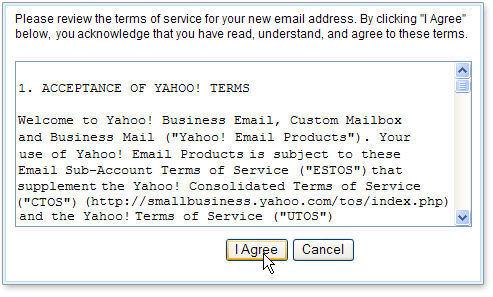
Coming to the other union of nations, EU, the recent EU privacy law does require companies to make its tracking more transparent by taking consent from the customer if they agree to have their data tracked/shared. How many of you would read through the entire terms of service when you download a software, make an online transaction or are even asked to sign/acknowledge before agreeing to them? Would we then even consider to read through the long terms of service detailing how our privacy is at stake if we agree to them?

http://us.i1.yimg.com/us.yimg.com/i/us/smbiz/gr/help/bm_accepttos.gif

Though a welcome sign by the EU to direct companies in taking customer consent before collecting their PII, how much of this new law would really reduce privacy intrusions will need to be seen... 

One would consider US to be a more "free" nation when compared to China. But, as I write this post, here is a latest update on the internet privacy law in the US. CISPA is being reintroduced by some leaders which would give access, to companies and government alike, to collect private customer data in the name of national security. To what extent would this bill be hampering the privacy of customers in the US? Do we need to be worried as to how our data will be used? One could argue that with the growing knowledge and concern of cyber security threats, it is in the best interest of the nation to have active tracking of individuals' online activities. But, where is the line that would define what level of tracking is actually needed for the purpose of identifying and controlling such threats? Has China, with its vast control of internet traffic, been able to control cyber threats/attacks? With the kind of technological advancements that we have achieved, is there any other way to keep track of online activities without needing to have private data.

References:
[1] Digital Analytics Association - http://www.digitalanalyticsassociation.org/?page=privacy
[2] http://glassboard.com/blog/2012/07/18/recent-privacy-policy-gains-hellooo-mobile/
[3] Advanced Web Metrics:Measuring success - http://www.advanced-web-metrics.com/blog/2012/10/04/privacy-web-analytics-google-and-ketchup/
[4] Wikipedia.org - http://en.wikipedia.org/wiki/Internet_privacy